Comparisons11 min readcompetitorgoogle-flightscomparison
Google Flights for Business Class: What It Shows, What It Misses, and Where to Actually Book
Google Flights is the best free tool for finding cheap dates and comparing published business class fares across airlines.
BC
BestBusinessClass Team
July 5, 2026
Share
Quick summary
Google Flights is the best free tool for finding cheap dates and comparing published business class fares across airlines. But it only shows retail pricing — it has no access to consolidator fares, which is how BestBusinessClass.com and similar agencies get clients into business class for 30-50% less. The smart move is using Google Flights for research, then calling a consolidator for the actual booking.
I probably run 15-20 Google Flights searches a week. It's my default tab when someone asks "what's a good week to fly to Milan" or "is business class to Tokyo ever reasonable in March." It's fast, it's clean, and it doesn't try to upsell you on hotel bundles every three clicks like some other search engines I could name.
But I also spend a good chunk of my week explaining to readers why the $4,700 fare they found on Google Flights isn't the only number that exists. So let's talk about what this tool actually does well, where it falls apart for premium cabins specifically, and how to use it without getting the wrong idea about what "business class" even means on a given flight.
What Google Flights actually does well
Let's give credit where it's due, because Google Flights earns its reputation as the fastest way to scan fares.
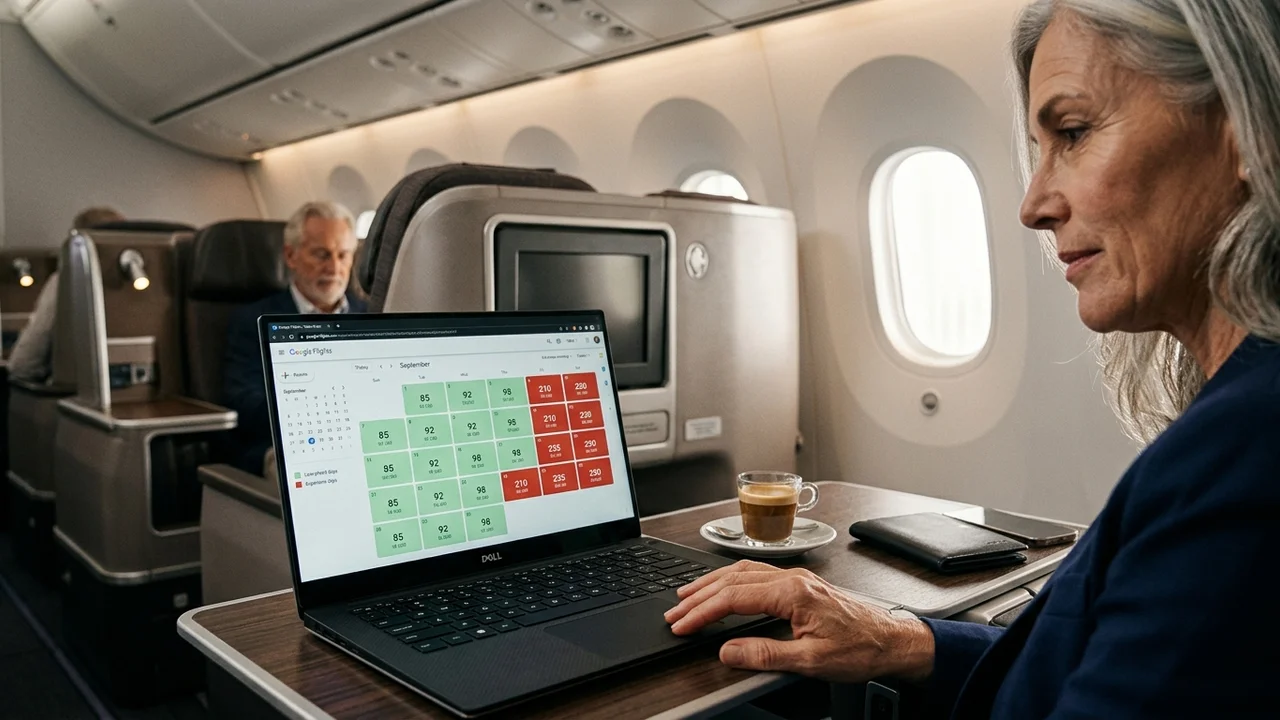
The price calendar is the best free date-flexibility tool out there. Search JFK to London, flip to the calendar view, and you'll see a grid of prices across weeks. If Tuesday departures are running $600 cheaper than Friday, you'll spot it in about four seconds. No other consumer search tool does this as cleanly.
The price graph does something similar over a longer window. If you're not locked into specific dates, you can watch business class fares for a route over two or three months and catch the dips. I've used this to identify that flying home from Rome on a Wednesday instead of a Sunday saved one reader $850 on a published business fare.
Track prices actually works. Set an alert on a route and cabin class, and Google will email you when the fare moves. It's not glamorous, but it's reliable, and it's saved people from checking obsessively.
The cabin class filter is exact. You tell it business class, it shows you business class — no accidentally scrolling through premium economy fares dressed up as something better.
Alliance filtering is genuinely useful for mileage runners. If you're trying to stay within Star Alliance or Oneworld for status purposes, you can filter by alliance and skip the manual airline-by-airline checking.
$4,200+
Typical Google Flights published fare, JFK–London business class
So as a research tool for timing and routing, it's genuinely good. The problem starts when people treat the number they see as the number they have to pay.
Is Google Flights good for finding business class deals?
Here's the honest answer: it's good for finding the cheapest published fare. It is not good for finding the cheapest actual fare, because those aren't the same thing in business class.
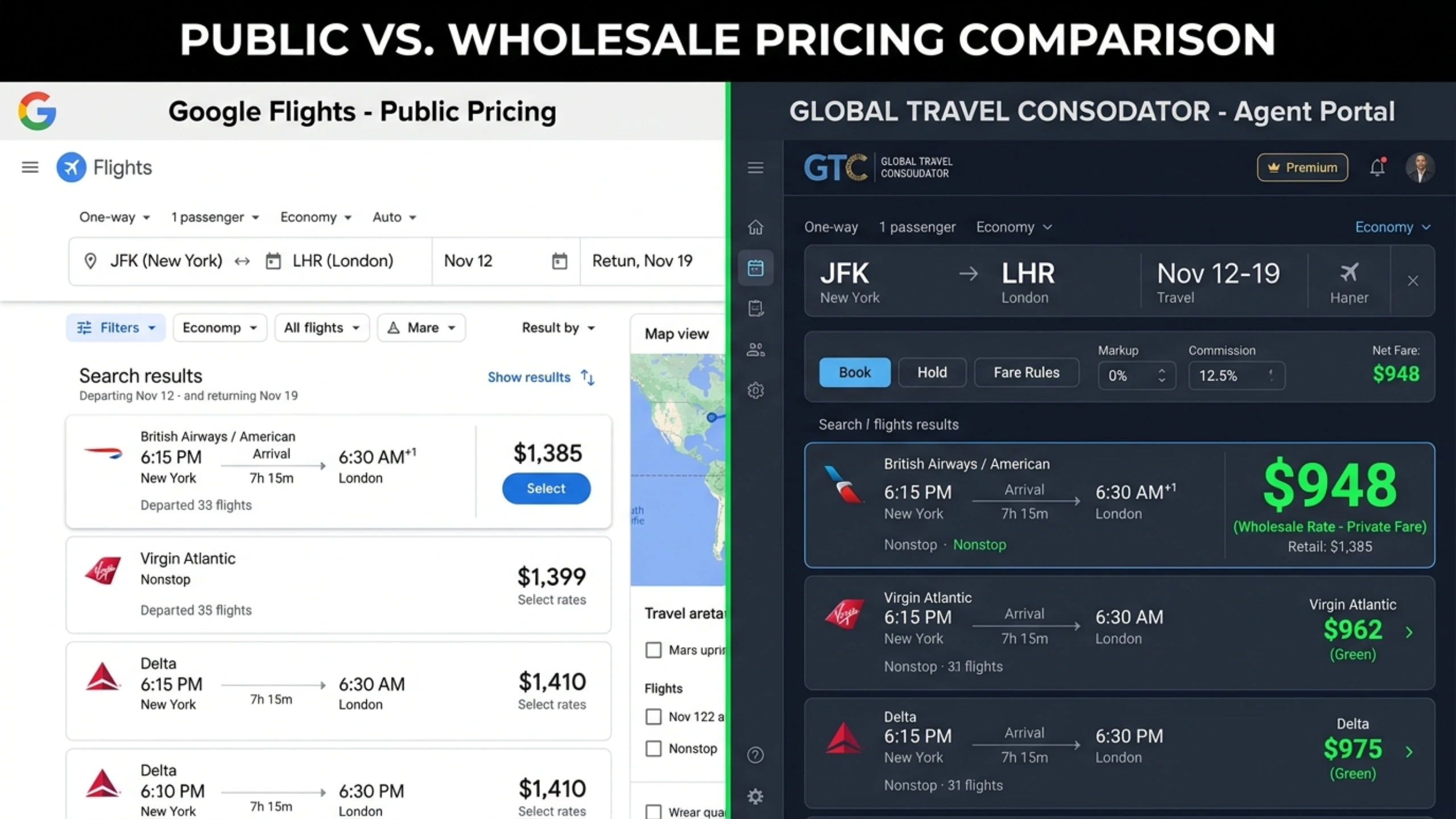
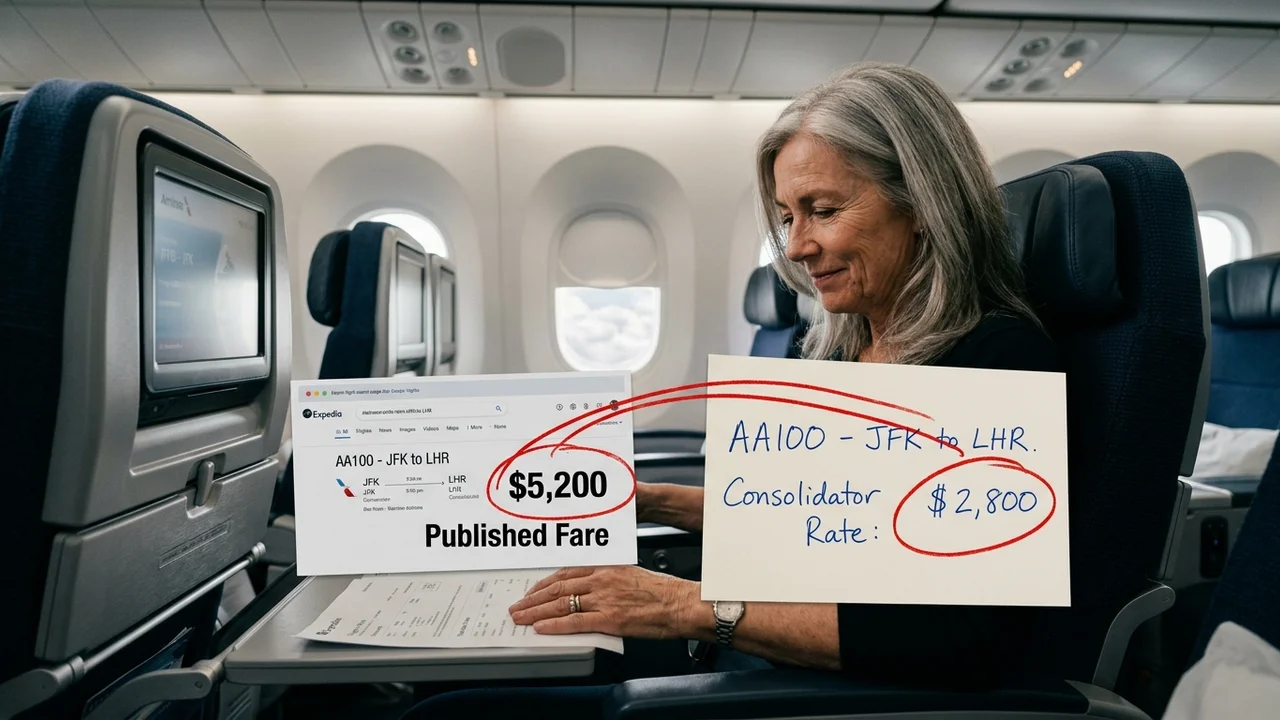
Published fares are what airlines file publicly — the prices you'd get calling the airline directly or booking through any retail site. Consolidator fares are wholesale rates that agencies like BestBusinessClass.com negotiate directly with airlines, often 30 to 40% below published pricing on the exact same seat, same flight, same fare class. Google Flights has no mechanism to access or display these because they're not distributed through the public channels Google scrapes.
This isn't a small gap. On long-haul international routes, it's often the difference between a trip that happens and one that doesn't.
The published fare problem
I want to walk through an actual example because the numbers make this clearer than any explanation.
New York (JFK)London (LHR)
Published fare via Google Flights · Business Class
$4,200
roundtrip
Search JFK to London business class on Google Flights for a random Tuesday in October and you'll typically see fares starting around $4,200 round-trip on British Airways or Virgin Atlantic, sometimes higher depending on the week. That's not an inflated number — it's a completely normal published business class fare on a major transatlantic route.
Now here's the same route, same cabin, same season, booked through a consolidator:
New York (JFK)London (LHR)
Consolidator fare via BestBusinessClass.com · Business Class
$2,100
roundtrip
That's not a sale fare. It's not an error fare, and it's not some sketchy points scheme. It's the wholesale consolidator channel — a pricing structure that's existed in the travel industry for decades, mostly used by corporate travel departments and agencies with airline contracts. BestBusinessClass.com works this exact channel for JFK–London and dozens of other routes, and the $1,800 to $2,400 range for this city pair is typical, not exceptional.
Our full New York to London route guide has more specifics on which airlines and travel windows tend to have the deepest consolidator inventory on this route if you want to go further down that particular rabbit hole.
Why Google Flights can't show this
Google Flights pulls from GDS systems and airline direct feeds — the same public pricing everyone sees. Consolidator fares are negotiated bilaterally between agencies and airlines and aren't distributed through those public feeds. There's no glitch to find. You have to go through an agency that holds the contract.
I get emails fairly often from readers convinced they've found a mistake fare because a price seems too good relative to what Google Flights shows for the same route. Usually it's not a mistake. It's just a different pricing channel entirely, one that retail search engines were never built to access.
Where Google Flights genuinely misses the point on business class
Price isn't the only issue. Even setting the consolidator gap aside, Google Flights has real blind spots on what you're actually buying.

It can't tell you if the seat is lie-flat or angled. This is the one that trips people up most. Google Flights will show you "Business" as a cabin label, but that word covers everything from a fully flat 1-2-1 suite with a door to an angled-flat recliner from 2005 that barely reclines past 40 degrees. I've flown both. They are not the same product, and the fare difference between them can be small even though the experience gap is enormous.
No seat map or seat product detail at all. You could book what you assume is a modern business cabin and end up in a 2-2-2 configuration where getting to the aisle means climbing over your row mate. Some older 777s and A330s still run this layout on long-haul routes. Google Flights won't warn you.
Zero lounge information. Which terminal, which lounge, whether it's a contracted lounge versus the airline's own — none of that shows up. If you're flying out of JFK's T4 versus T7 on the same "airline," your pre-flight experience can vary a lot, and Google Flights doesn't distinguish.
Multi-city and complex routing is clunky. Try building a New York–Doha–Bangkok–home itinerary in Google Flights and you'll notice it struggles compared to what a human agent or a dedicated multi-city tool can put together, especially when you want to mix cabins or use open-jaw routing.
No fare rules or upgrade path visibility. Whether a ticket allows free date changes, what the mileage-earning rate actually is, or whether there's a bereavement or medical exception — none of it surfaces in the search results. You'd need to click through to the airline anyway.
Pro Tip
Before booking anything you find on Google Flights, look up the specific aircraft and seat configuration on a site like SeatGuru or the airline's own fleet page. The flight number and aircraft type will tell you more about your actual seat than the word "business" ever will.
Does Google Flights show all business class fares?
No — and this is worth being direct about. Google Flights shows published fares from airlines and the online travel agencies it partners with. It does not show consolidator fares, unpublished corporate rates, or agency-negotiated wholesale pricing. For economy tickets this barely matters, since margins are thin across the board. For business class, where the gap between retail and wholesale can run into the thousands, it matters a lot.
This is also true, to varying degrees, of other search tools. Our Kayak guide and Expedia guide go through similar gaps on those platforms — Kayak actually aggregates some agency fares that Google doesn't, but still misses the deeper consolidator channel entirely.
How I actually use it (the two-step method)
Here's the workflow I'd recommend, and it's the one I use myself before I call anyone.

Step one: use Google Flights to find your dates and routing. Pull up the calendar view for your route, look for the cheapest days, and note which airlines are running the route on those dates. This part of the process Google Flights does better than almost anything else available for free.
Step two: take that information to a consolidator. Call BestBusinessClass.com with your dates, preferred airline, and routing already worked out, and let them check consolidator availability against what you found. Sometimes the consolidator fare lines up with the same flight you picked on Google. Sometimes shifting by a day or an airline opens up a meaningfully better wholesale rate.
This isn't a knock on doing your own research first — it's actually the fastest way to get a useful answer on the phone, because you're not starting from scratch.
A quick script that works
"I found British Airways JFK to London on the 14th for $4,200 on Google Flights. What's your consolidator rate for that flight, or is there a nearby date with better business class pricing?" That's it. Agents who work these routes daily can usually tell you within a few minutes whether there's room to do better.
I've watched this two-step approach save readers real money on routes to London, Tokyo, and Doha specifically — three markets where consolidator inventory tends to be deep because of how much corporate volume runs through them.
A specific example beyond JFK–London
London isn't the only route where this gap shows up. Take New York to Tokyo. Google Flights will typically show ANA or JAL business class fares in the $6,000 to $7,500 round-trip range during normal season, higher around cherry blossom season in April. Consolidator pricing on the same carriers commonly lands in the $3,200 to $4,000 range, sometimes lower depending on how flexible you can be with dates.

If you're specifically looking at that market, our guide to business class to Tokyo breaks down which Japanese carriers tend to have the most consolidator flexibility and which routes get tight fastest.
Qatar Airways is another one worth mentioning here, mostly because their published fares on Google Flights are often already fairly competitive relative to other Gulf carriers — but the consolidator gap still exists, and their Qsuite product (genuine 1-2-1 with sliding doors on most routes) makes the cabin worth the extra research regardless of which channel you book through. We've got a full Qatar Airways business class review if you want the seat-by-seat breakdown, since not every Qsuite configuration is identical across aircraft types.
What about award search and Google Flights?
Quick note here because people ask: Google Flights doesn't do frequent flyer award search at all. It's cash fares only. If you're trying to compare a cash consolidator fare against a points redemption, you'll need a separate tool entirely — something like ExpertFlyer or the airline's own award chart. That's a different article, but it's worth knowing Google Flights simply isn't built for that comparison.

Should I trust the "cheapest" label on Google Flights?
Be careful with this one. Google will often flag a fare as the cheapest available for your dates, and that's usually true — among published fares. But "cheapest available" doesn't mean "cheapest possible." It means cheapest among the pricing that particular airline or OTA has chosen to publish that day. It's a genuinely different question from whether a better wholesale rate exists elsewhere, and Google's algorithm has no way to know the answer to that second question because it's not looking at that data at all.
I'd treat the "cheapest" badge as a useful starting point, not a final verdict.
The bigger picture on comparison tools
None of this means Google Flights is bad — I use it constantly, and I'll keep recommending it as the first stop for anyone starting to plan a trip. The date flexibility tools alone make it worth bookmarking. But it was built to compare published retail prices quickly, not to surface every pricing channel that exists for premium cabins.
If you want a broader comparison of where different search tools fall short for business class specifically, our best websites to book business class guide walks through six or seven platforms side by side, including where each one's blind spots show up. And if you want the deeper mechanics of how Google Flights' calendar and alert tools work, there's a dedicated Google Flights guide that goes further into the settings most people never touch.
The short version, though, is this: Google Flights business class search is the right tool for figuring out when and where to fly. It's the wrong tool for figuring out what to actually pay, because the number it shows you was never the full menu to begin with.
That's the gap BestBusinessClass.com exists to close — taking the research you've already done on public search tools and running it against consolidator contracts that aren't visible anywhere online. It's not a replacement for Google Flights. It's the step that comes after.
Found a flight on Google Flights? Call (855) 815-4774 and we'll check the consolidator rate before you book.
Call NowThis article was created with AI assistance and reviewed by our editorial team.
#competitor#google-flights#comparison#booking-strategy#consolidator
Enjoy our content? Make us a preferred source on Google.
Business class deals, delivered
Join savvy travelers who receive exclusive deals, route tips, and insider knowledge. Free, weekly, no spam.
Unsubscribe anytime. We respect your inbox.
By submitting, you agree to our Privacy Policy and Terms of Service.
Ready to book your business class flight?
Our specialists access unpublished fares and save you up to 40% on premium cabins.